Push the post. Leave the rest alone.
Migro talks to the WordPress REST API on staging and production. Pick what should move, click Push or Pull, and the destination's other content stays exactly as you left it. Every custom field, taxonomy, and media relationship comes along.
Three steps. No database exports.
Migro talks to the WordPress REST API on both ends, so your staging environment stays disposable and your production environment stays untouched until you say go.
Build & test safely
Draft posts, wire up ACF, tune Yoast, assign taxonomies. Break things freely: staging is the sandbox.
- Isolated sandbox
- Full WP feature set
- Team-friendly workflow
Select & deploy
Pick posts, CPTs, or whole taxonomies. Migro bundles content + metadata + media and streams it to the destination.
- Selective migration
- Metadata preservation
- Media auto-attaches
Live, pixel-identical
Content goes live exactly as designed. SEO is intact, custom fields resolve, featured images are in place.
- Instant publication
- SEO-ready
- Zero manual fixes
$ wp migro push 4217 --to=production

  Resolving post fields      ✓  title, slug, content, excerpt, status
  Resolving custom fields    ✓  all postmeta keys (ACF, Yoast, RankMath, …)
  Resolving taxonomies       ✓  category:product · post_tag:v2
  Uploading media            ✓  hero.webp, diagram.svg, og-card.png
  Writing to destination     ✓  updated post ID 892 (sync key matched)

  Done in 3.2s. Backup saved before overwrite.
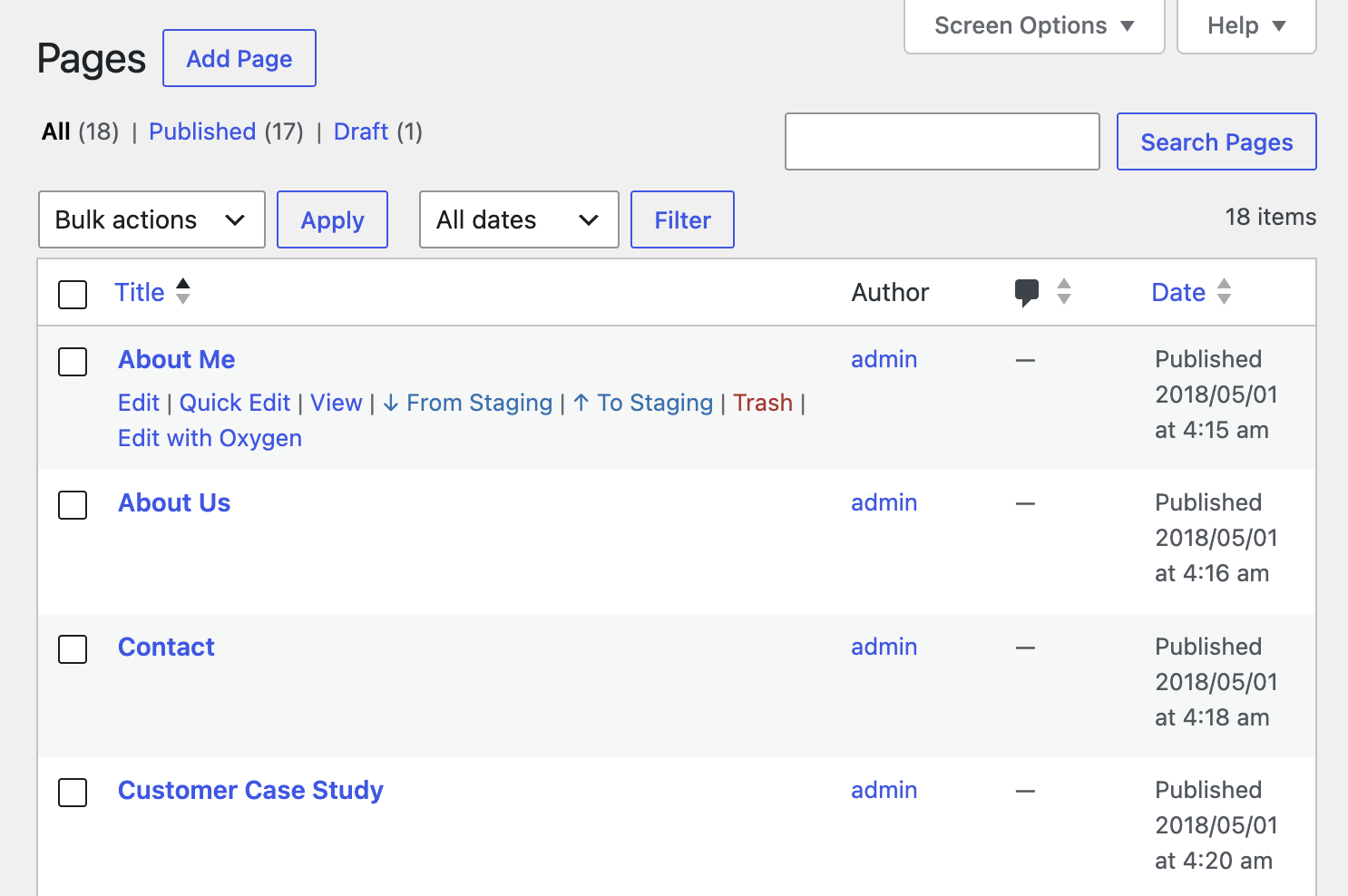
One-click shortcuts, right in wp-admin.
Professional users get To Prod and From Prod buttons on the post list and edit screen. No forms, no modals, no context switch.
To Prod
Push the current post live in a single click.
From Prod
Pull a live post back for editing.
Native UI
Lives in the WP admin you already know.
Audit trail
Every sync is timestamped and reversible.
Stop firefighting content deploys.
Install the free plugin on staging and production. Run your first deploy in under five minutes. Founding-customer pricing is available on Pro while Migro is in public preview.